Official Extension

The power of AI,
in your browser

Install FormFill AI on Chrome, Brave, or Edge. Set up your profile in 2 minutes, and start filling any form in under 10 seconds.

Chrome 110+ Brave Edge Arc Firefox (Coming Soon)

Setup Guide

Up and running in 3 steps

01

Install from the Chrome Web Store

Click the button below to go to our official Chrome Web Store listing. Click "Add to Chrome" and confirm the installation. The extension icon will appear in your toolbar immediately.

Open Chrome Web Store →
Chrome Web Store installation
02

Build Your Profile

Click the FormFill AI icon in your toolbar to open the setup panel. Import your resume PDF — our AI extracts all your details in seconds. Or enter your information manually. Add your OpenAI API key to get started.

Watch Setup Tutorial →
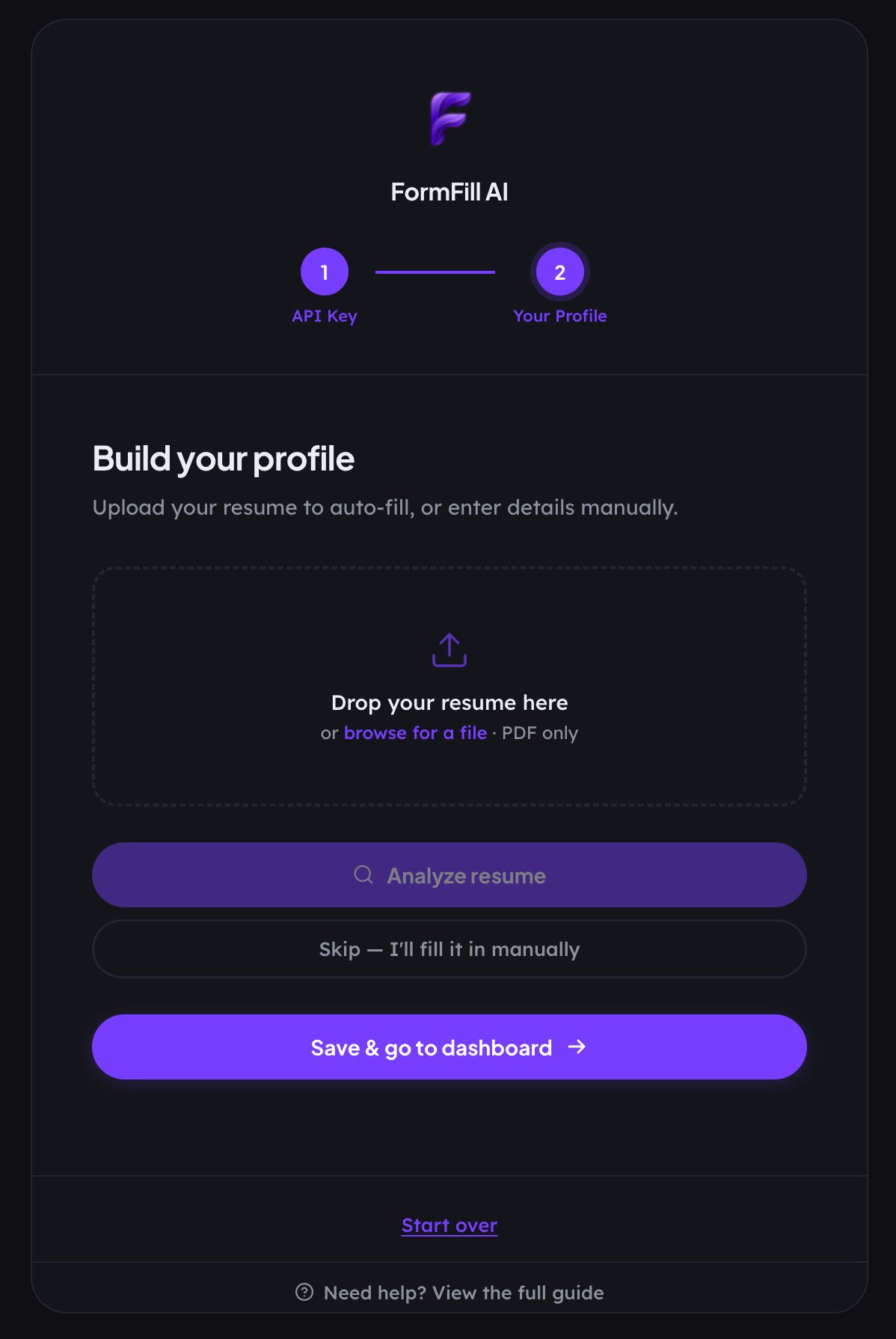
Profile setup
03

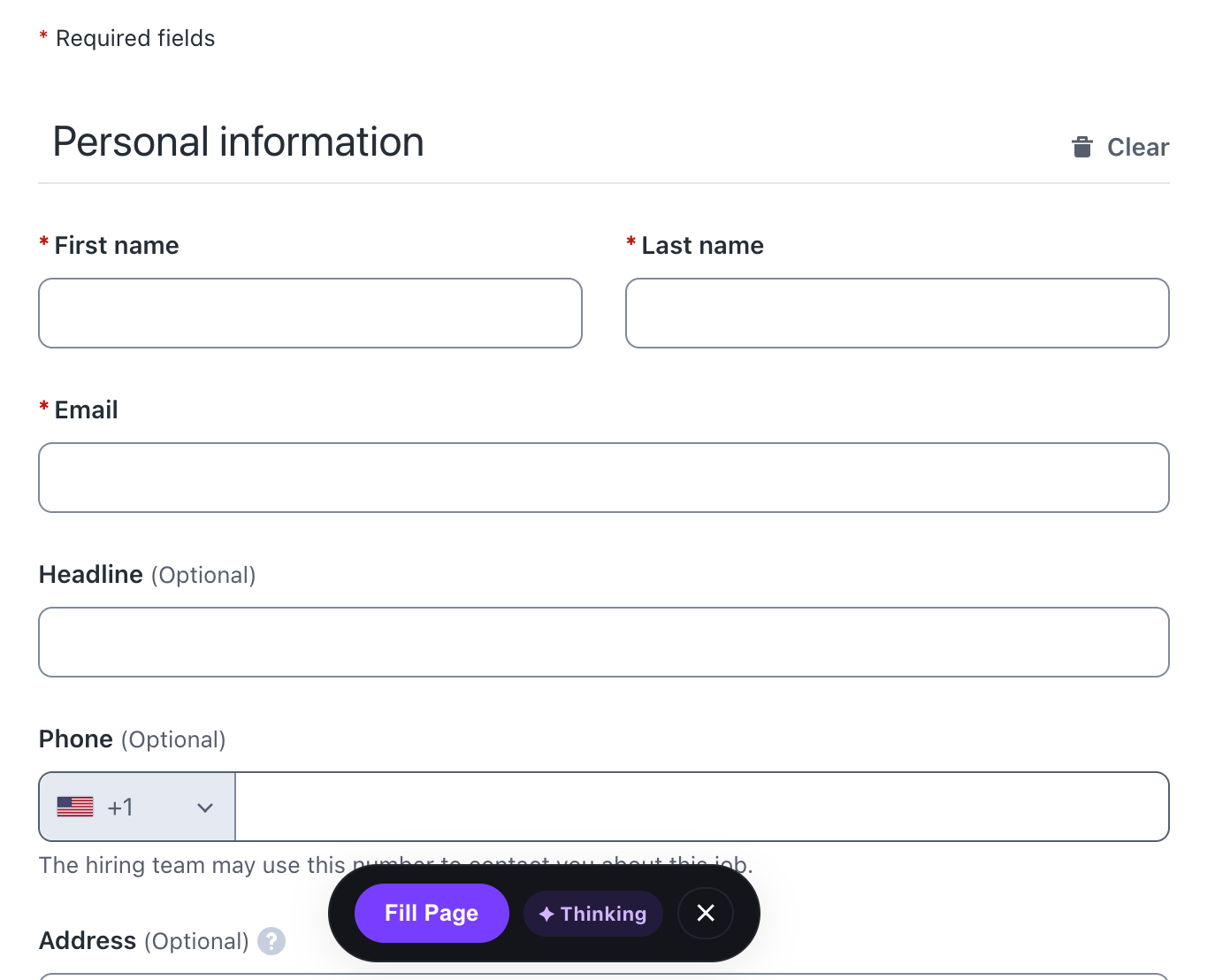
Click Fill on Any Form

Navigate to any job application, survey, or checkout page. FormFill AI will detect the form and show a floating "Fill Form" button. One click fills every field intelligently — usually in under 10 seconds. Review and submit.

See All Features →
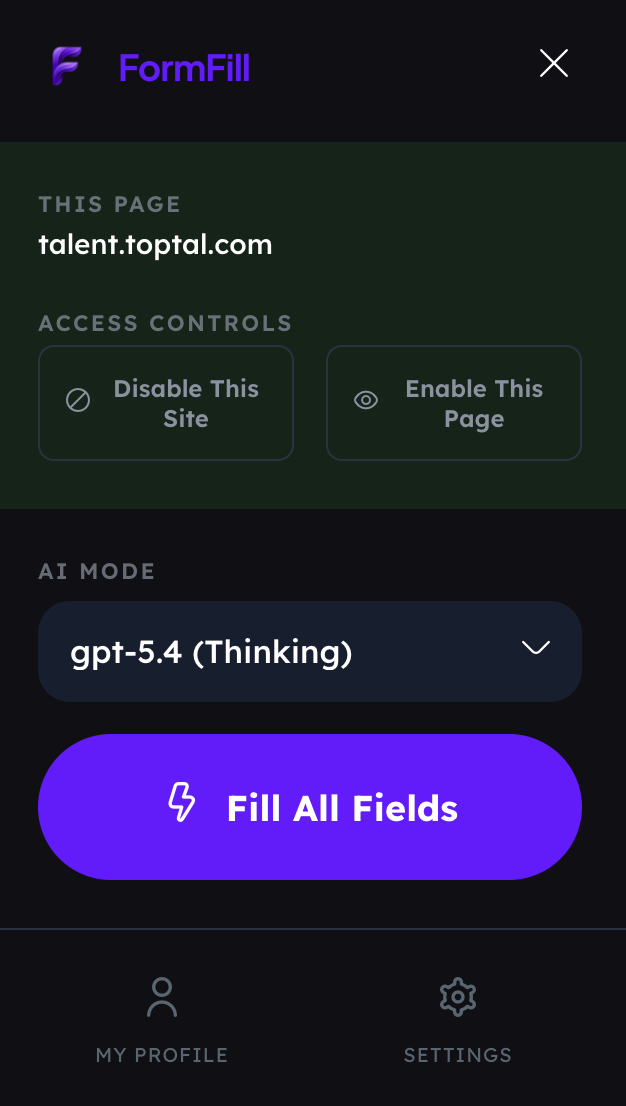
One-click form fill

Why FormFill AI

More than just autofill

Semantic AI, not pattern matching

Understands form intent, not just field names. Works on any site, any layout, any language.

Local-first & private

No server stores your profile. API key encrypted locally. Data goes directly to OpenAI — we are never in the path.

One profile, everywhere

Set up once, fill any form forever. Job applications, surveys, checkouts — all of it.

Ready to stop typing your name into forms?

Join professionals saving hours every week. Install takes under 60 seconds.

Add to Chrome — it's free